You’re spending your full Google Ads budget.
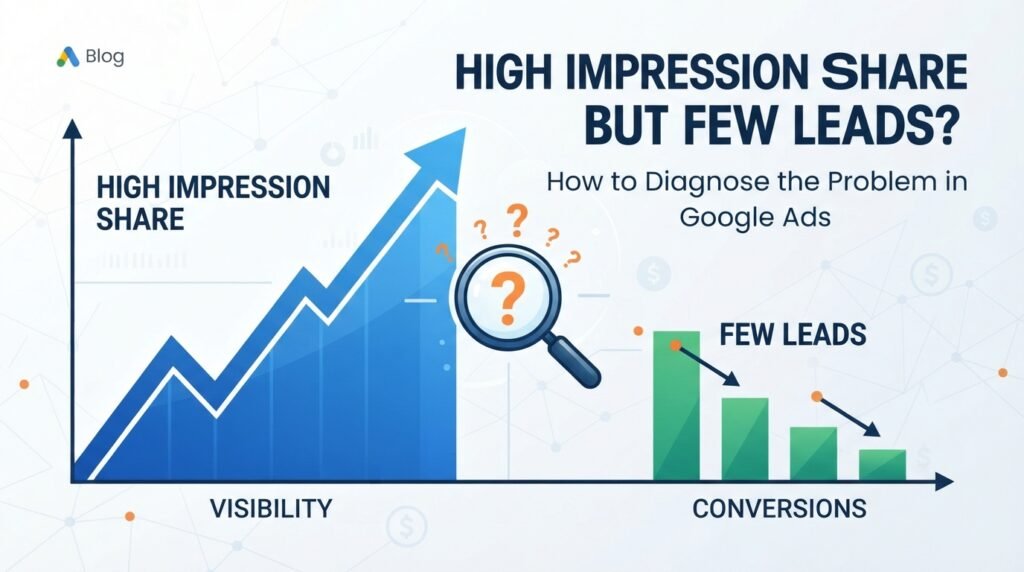
Your campaign has a high Impression Share.
Your ads are showing frequently.
But the leads aren’t coming in.
So what’s wrong?
This is a common Google Ads problem, particularly for lead generation campaigns. A high Impression Share does not automatically mean that a campaign is performing well. It simply tells you that your ads are capturing a large portion of the available impressions for the auctions you’re eligible to enter.
The real question is:
Why isn’t the traffic turning into enough qualified leads?
Here’s how I diagnose it.
1. Start With Conversion Tracking
Before changing keywords, ads, bids, or budgets, make sure the conversion data is accurate.
A campaign may appear to have few leads when the real problem is that leads aren’t being recorded correctly.
Check:
Google Ads conversion actions
Primary vs. Secondary conversions
Form submission tracking
Phone-call conversions
Thank-you-page conversions
Google Tag Manager implementation
GA4 events
Recent website or tracking changes
Whether conversions are being attributed to the correct campaign
This is especially important when Google Ads is using automated bidding.
If Google is receiving incomplete or incorrect conversion signals, its optimization system is working with bad information.
Don’t optimize a campaign based on conversion data you don’t trust.
2. Find Out Where the Budget Is Going
If the campaign is spending its full budget, the next question is:
What exactly is Google spending that money on?
Break the data down by:
Campaign
Ad group
Keyword
Search term
Location
Device
Day and hour
Audience
Match type
You may discover that a significant portion of the budget is going toward traffic that has little chance of becoming a customer.
High Impression Share doesn’t tell you whether the traffic is valuable.
It only tells you how much of the available opportunity you’re capturing.
3. Analyze the Search Terms
For Search campaigns, the Search Terms report is one of the most important diagnostic tools.
Don’t just look at the keywords you added to the campaign. Look at the actual searches that triggered your ads.
Look for:
Informational searches
DIY searches
Free or cheap searches
Employment-related searches
Irrelevant services
Irrelevant locations
Low-intent searches
Searches outside your target customer profile
For example, a plumbing company may target a keyword related to emergency plumbing, but the campaign could also receive searches from people looking for DIY instructions or plumbing jobs.
Those searches can generate impressions and clicks without producing meaningful leads.
Adding appropriate negative keywords and improving keyword targeting can help reduce this waste.
4. Look at CTR
Next, examine your Click-Through Rate (CTR).
The basic funnel is:
Impressions → Clicks → Leads
If you have a large number of impressions but relatively few clicks, the problem may be related to:
Search intent
Ad relevance
Ad messaging
Keyword targeting
Competition
Offer positioning
For example:
100,000 impressions → 2,000 clicks → 2% CTR
The campaign is getting visibility, but only a small percentage of users are clicking.
That doesn’t necessarily mean the ads are bad. It means you need to investigate whether the searches, ads, and offer are aligned.
5. Check Conversion Rate
Once users click, the next question is:
What percentage of those visitors become leads?
Conversion Rate is calculated as:
Leads ÷ Clicks × 100
Suppose you have:
2,000 clicks
20 leads
Your conversion rate is only 1%.
If CTR is healthy but conversion rate is poor, the problem may not be the ad auction at all.
It could be happening after the click.
That’s when I start investigating the landing page, offer, traffic quality, and conversion process.
6. Audit the Landing Page
Your Google Ads campaign can generate excellent traffic, but the landing page still has to convert it.
Check whether the page:
Clearly matches the search intent
Explains the service or product immediately
Has a strong and visible CTA
Makes the phone number easy to find
Has a simple contact form
Works properly on mobile devices
Loads quickly
Provides trust signals and reviews
Clearly explains the service area
Makes the next step obvious
Ask yourself:
If someone lands on this page from Google, do they immediately understand what to do next?
If the answer is no, increasing the advertising budget probably isn’t the solution.
7. Look Beyond Lead Volume
Not every lead is a good lead.
This is particularly important for service businesses.
You should evaluate the complete funnel:
Clicks → Leads → Qualified Leads → Booked Jobs → Revenue
For example:
$3,000 advertising spend
20 leads
8 qualified leads
3 booked jobs
Looking only at the 20 leads doesn’t tell the whole story.
A campaign generating fewer but higher-quality leads may be producing better business results than a campaign generating a large number of low-quality inquiries.
8. Check What Google Is Optimizing For
Automated bidding depends heavily on the conversion signals you provide.
If Google is optimizing toward the wrong actions, the campaign may find more users who perform those actions—but not necessarily users who become customers.
Review whether your Primary conversion actions represent meaningful business outcomes.
For a lead-generation business, you may want to focus on actions such as:
Qualified form submissions
Valuable phone calls
Booked appointments
Qualified leads
You should be careful about allowing weak signals to become the primary optimization goal if they don’t represent real business value.
Google can optimize very efficiently—but it optimizes toward the signals you give it.
9. Analyze Locations, Devices, and Time
Performance can vary dramatically across different segments.
Break down your results by:
Location
Look for locations that generate:
High spend
High clicks
Few leads
Poor lead quality
Device
Compare mobile, desktop, and tablet performance.
For many local service businesses, mobile traffic is particularly important because users may call directly from their phones.
Time of Day
Look for periods where you’re spending significantly without generating meaningful results.
This doesn’t mean every poor-performing segment should immediately be excluded. You need enough data to determine whether the pattern is meaningful.
10. Review the Bidding Strategy
Once tracking, traffic quality, and conversion performance have been evaluated, review the bidding strategy.
Consider:
What bidding strategy is being used?
Does the account have enough reliable conversion data?
Is Google optimizing toward meaningful conversions?
Is the Target CPA realistic?
Are conversion values accurate?
Has the campaign recently undergone major changes?
Don’t change the bidding strategy simply because lead volume is low.
First determine why lead volume is low.
Changing bidding without understanding the underlying problem can simply move the problem somewhere else.
11. Calculate CPL—but Don’t Stop There
Cost Per Lead is important:
CPL = Advertising Spend ÷ Leads
But CPL alone doesn’t tell you whether the campaign is profitable.
A better analysis is:
Spend → Leads → Qualified Leads → Booked Jobs → Revenue
For example:
$3,000 spend → 20 leads → 8 qualified leads → 3 booked jobs → $15,000 revenue
Now you have a much better picture of campaign performance.
The ultimate goal isn’t to generate the cheapest possible lead.
The goal is to generate valuable customers at an economically sustainable cost.
The Diagnostic Framework I Use
When I see an account spending its full budget with high Impression Share but few leads, I work through the funnel systematically:
Budget
↓
Impressions & Impression Share
↓
Search Terms & Traffic Quality
↓
CTR
↓
Clicks
↓
Landing Page Experience
↓
Conversion Rate
↓
Qualified Leads
↓
Booked Jobs
↓
Revenue
This approach helps identify where the actual problem is instead of immediately changing the campaign settings.
Final Takeaway
High Impression Share is not the same thing as high performance.
If your campaign is already capturing most of the available impressions, getting more visibility may not solve the problem.
Instead, ask:
Are we reaching the right searches?
Are the ads attracting the right users?
Are those users converting?
Are we tracking conversions correctly?
Are the conversions actually qualified leads?
Are those leads turning into customers?
Once you identify where the funnel is breaking, you can make a much more informed optimization decision.
Don’t optimize for more traffic just because you have a lead problem. Diagnose the entire funnel first.