
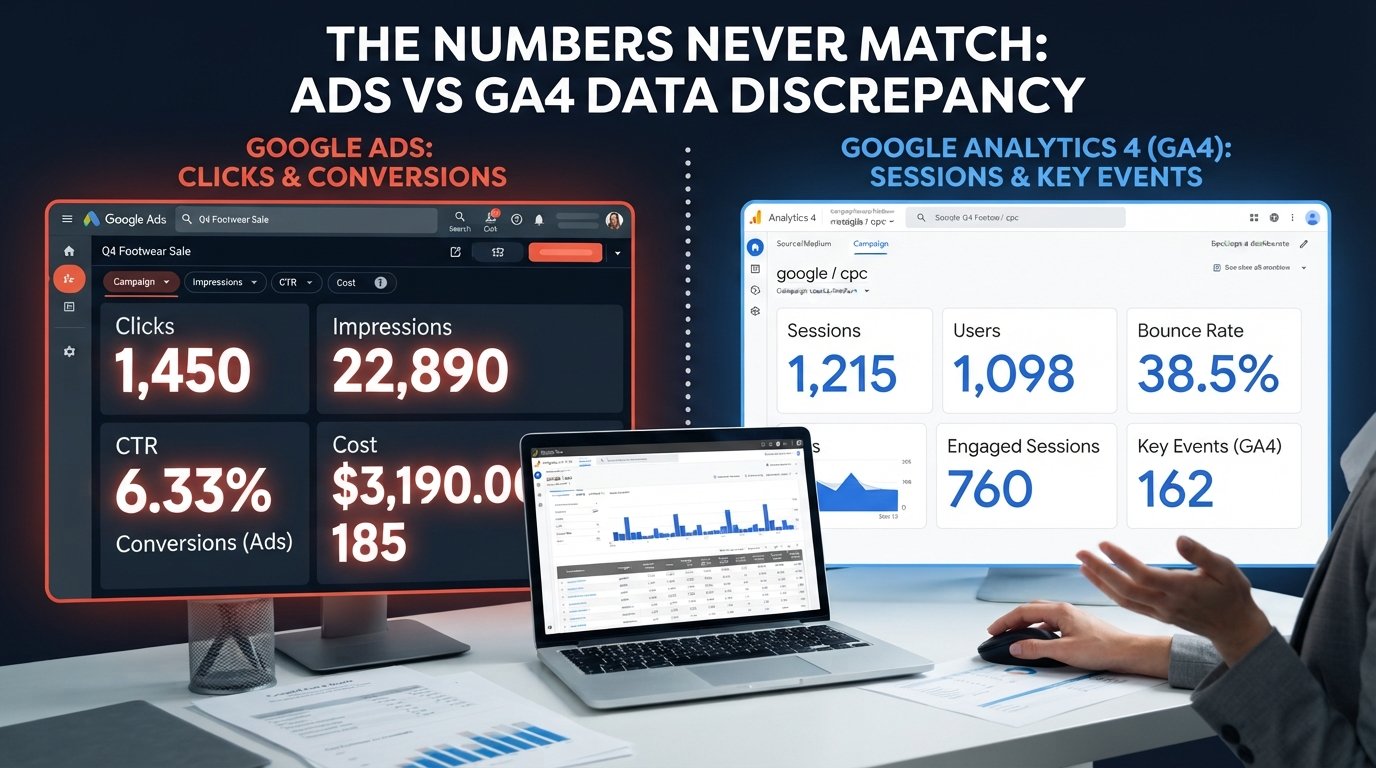
Google Ads vs. GA4: Why Your Numbers Don’t Match
You open Google Ads.
You open Google Analytics 4 (GA4).
Same day.
Same campaign.
Same website.
Same budget.
But the numbers don’t match.
If you’ve managed Google Ads for any length of time, you’ve probably seen this—and wondered whether something is broken.
The good news? A difference between Google Ads and GA4 does not automatically mean your tracking is broken.
Google Ads and GA4 are different platforms designed for different purposes. They collect and process data differently, use different attribution logic, and answer different questions.
So expecting the two platforms to produce identical numbers can lead to unnecessary troubleshooting—and sometimes, worse, unnecessary changes to campaigns that are actually performing well.
Here’s why the numbers differ and what you should actually do about it.
The 3 Biggest Reasons Google Ads and GA4 Don’t Match
1. Google Ads Counts Clicks. GA4 Counts Sessions.
One of the most common sources of confusion is comparing Google Ads clicks with GA4 sessions.
They’re not the same metric.
Google Ads records a click when someone interacts with your ad. GA4 records a session when a user’s visit to your website is successfully measured by the GA4 tracking implementation.
For example, someone could click your ad but leave before the page or analytics tag fully loads. Google Ads may record the click while GA4 may not record a corresponding session.
There can also be multiple clicks from the same person, while GA4 may group their website activity into a smaller number of sessions.
So:
Google Ads clicks ≠ GA4 sessions
That’s not necessarily a tracking problem. You’re comparing two different measurements.
2. Google Ads and GA4 Can Attribute Conversions Differently
Attribution is another major reason the numbers don’t line up.
Google Ads and GA4 can use different attribution settings and reporting logic. A conversion may therefore be associated with a different source, campaign, or interaction depending on which platform you’re looking at.
For example, imagine someone:
Clicks a Google Ad.
Visits your website.
Leaves without converting.
Returns several days later through another channel.
Completes a purchase.
Depending on the attribution configuration and report you’re using, Google Ads and GA4 may assign credit differently.
This becomes especially important when you’re comparing conversions by campaign or traffic source—not just total conversions.
3. Tracking, Consent, and Data Collection Are Different
Even when attribution is configured correctly, the two platforms can still report different numbers because of how data is collected and processed.
Common causes include:
Consent settings and Consent Mode
Ad blockers and browser privacy restrictions
Users declining analytics cookies
Different conversion counting methods
Different attribution models
Different conversion windows
Different account time zones
Missing or incorrectly configured tags
Duplicate conversion tags
Problems with Google Ads auto-tagging
Redirects or landing pages that interfere with click identifiers
Differences between Google Ads conversions and GA4 events/imported conversions
This is why comparing two reports and simply looking for identical numbers isn’t enough.
You need to understand what each platform is actually measuring.
A Real-World Example
I once worked with a pet food brand where the numbers initially looked alarming.
Google Ads reported approximately 800 conversions, while GA4 showed around 550.
The immediate assumption was that the tracking was broken.
After auditing the implementation, we discovered a duplicate conversion tag that was inflating the Google Ads conversion count.
Once the duplicate tracking was fixed, the difference became much smaller.
The important lesson wasn’t that Google Ads and GA4 should always match.
It was this:
A large difference deserves investigation—but a difference by itself doesn’t prove that either platform is wrong.
So, What Is a “Normal” Difference?
There isn’t a universal percentage that applies to every Google Ads and GA4 account.
You may hear marketers say that a 10–20% difference is “normal,” but treating that as a hard rule can be misleading.
The expected difference depends on factors such as:
Conversion setup
Attribution configuration
Consent rates
Tracking implementation
Conversion windows
Time zones
Counting methods
Whether you’re comparing clicks, sessions, users, events, or conversions
Whether conversions are imported between platforms
Instead of asking:
“Why aren’t these numbers exactly the same?”
Ask:
“Are the differences explainable and consistent with how our tracking is configured?”
That’s a much more useful question.
A small, stable discrepancy may be perfectly reasonable.
A sudden 30–50% change, however, deserves a closer look—particularly if it coincides with a website update, tag change, consent-banner change, account configuration change, or a sudden change in conversion volume.
What You Should Actually Do
1. Choose the Right Source for the Right Decision
Don’t force one platform to answer every question.
Use Google Ads when you’re evaluating:
Campaign performance
Ad and keyword performance
Bidding
Cost per conversion
Google Ads conversion actions
Optimization signals
Use GA4 when you’re evaluating:
Website engagement
User journeys
Landing-page performance
Cross-channel traffic
On-site events
Customer behavior across the website
The platforms can complement each other without producing identical numbers.
2. Compare the Same Date Range
When troubleshooting discrepancies, start with the basics.
Use the same:
Date range
Time zone
Conversion definition
Conversion event
Attribution context
Then compare like-for-like metrics.
Don’t compare Google Ads clicks with GA4 sessions and expect them to match.
3. Monitor the Difference Over Time
Instead of obsessing over a single day’s numbers, establish a baseline.
For example:
Google Ads conversions: 100
GA4 conversions: 92
That difference may be explainable.
But if the relationship suddenly changes to:
Google Ads conversions: 100
GA4 conversions: 45
that’s when you should investigate.
A sudden change is often more useful diagnostically than the absolute size of the difference.
4. Audit Your Conversion Tracking
If the gap is unusually large or changes suddenly, check:
Google Ads conversion actions
GA4 events
Google Tag Manager
Duplicate tags
Conversion counting settings
Google Ads auto-tagging
Conversion linker configuration
Consent Mode
Imported GA4 conversions
Conversion windows
Account time zones
Landing-page and redirect behavior
Also make sure you’re not accidentally counting the same action through multiple tracking methods.
5. Don’t Optimize Based on a Metric You Don’t Understand
This is perhaps the most important point.
If Google Ads reports 100 conversions and GA4 reports 80, don’t immediately conclude that Google Ads is overstating performance—or that GA4 is missing data.
First understand why the numbers differ.
Then use the appropriate platform for the decision you’re making.
Final Thoughts
Google Ads and GA4 are not designed to be identical reporting systems.
They collect data differently, process it differently, and serve different purposes.
The goal isn’t to make every number match perfectly.
The goal is to have a reliable, explainable measurement system that you can use confidently to make marketing decisions.
So the next time Google Ads and GA4 show different numbers, don’t panic.
Check the definitions.
Check the attribution.
Check the tracking.
Check the configuration.
And most importantly, ask whether the difference is expected—or evidence of a real measurement problem.
Because good marketing analytics isn’t about making every platform report the same number.
It’s about knowing which number to trust, why you can trust it, and what decision it should inform.